Monday, July 22, 2013

Multichannel MXF export

We are announcing a new post in the works with full details on how to export multichannel MXF using Hamburg Pro Media plug in from FCPX.

Post will be available this week.


- Posted using BlogPress from my iPhone

Thursday, June 27, 2013

R&D for 6K playback

We are very happy to announce we are currently doing a joint research together with IBM in order to design and deploy the perfect workflow for stereoscopic 6K playback @50fps.

Results will be featured on Avnet.com this fall.

Units involved:
IBM XIV
IBM V7000
Red Dragon Camera
R3D files
Red Rocket X


- Posted using BlogPress from my iPhone

Thursday, May 23, 2013

5 episodes completed using FCPX. What an adventure

So here we are, 5 episodes in the first season of "Das Experiment". Cutting the show on FCPX is hardcore because there aren't that many editors who are proficient in FCPX so you end up handling the whole post from start to finish. That explains why I did not have time to write a thing in the last few weeks, I was f------ exhausted.
So let's talk about the workflow and how you can simply share your events, media and fcpx projects with multiple users and yes in realtime.
As I am a  certified trainer for FCP7 and FCPX as well as a SAN integrator for Studio Network Solutions and a recent partner with IBM, for me the big challenge was:
"How can I possibly leave my desk and take of for a few days without having the whole crew in a panic state as they have no knowledge about SAN workflow and FCPX"
Well here is the answer.
1) Get X to 7 by Intelligent Assitance



X to 7

2) Have your assistant editor or second editor cut his assemblies and rough cuts on FCP7 (trust me on that one) and export their projects to FCPX using 7 to X by Intelligent Assitance.


3) Now in order to use the medias that are also currently used by another editor I need what we call a SAN= Storage Area Network. Forget any NAS solutions as this does not work because it is not meant for editing. If you need to know why e-mail info-at-cinedit-dot-com and we'll send you our white paper.
In order to simultaneously share the same events and media with multiple editors (4) who are cutting using FCPX and FCP7 do the following:
A) Log and Capture in FCPX and do one event per show, if not you'll end up with way to many events that will slow down your workflow. DO NOT create 1 event per camera!!! As this is your guaranteed ticket to Hell.


What I saw halfway though Episode 01


B) In FCPX, once your event is ready to go after it is loaded with medias containing keywords and favorites etc, Export your event as an XML
C) From another workstation, import the XML you exported and relink the clips, BUT reference the medias, do not import anything in your event when relinking the medias.
Once this is done, start to do your assembly in FCPX knowing another editor is currently using the same media for loging. Cool eh?
Now if you have to work with editors who happen to hate FCPX as much as your ex, stay cool and accept the fact that there is now way that the keywords that were logged in FCPX will be retrieved in FCP7. However..., the structure of your event can be directly imported in FCP7 (the original media folder). You can then start to create an assembly or rough cut in FCP7 that can then be finished in FCP7 or FCPX. (I do both, depending with who I am working)
So far the best workflow I found was as folllow:
1) Do a rough in FCPX and export to FCP7 using Xto7. Why? Because G-d forbid, if I am sick and cannot show up at work, at least another editor can finish the project.
2) Finish your cut in FCP7 but do all your lower thirds and effects in FCPX (so much faster). If you have a SAN this works like a charm and ALLOWS you not to show up at work for the week-end as other editors can finish your work on FCP7.
3) If you are lucky enough to have the time to start and finish in FCPX, before you spend 800 Euros on Hamburg Media Pro MXF export plug in, just export your project as a ProRes HQ, import it in FCP7 and export your MXF to disc from FCP7. It works and no one will be able to notice any difference in image quality. At least not the million viewers who saw the first 5 episodes ;)
At last, FCPX is really good but it does lack the following items that made the producers angry:
i) No Timecode Window like in FCP7 (ctrl+t). And spare me the "just Add a generator in FCPX and throw in the timecode filter" as I have no time to render a 28min show that has hunderds of cuts.
ii) FCPX export crashes and never finishes unless you delete and trash your FCPX render files
iii) FCPX requires an ATI Radeon 5870 graphic card. If you don't have one go get one and throw it in your MacPro or use your two year old MacBook Pro as it will render much much much faster.


ATI Radeon 5870


iv) FCPX plug in for ProTool does not work, or at least it is a purgatory trip. Why? read below.


So your cut is exported, but you still need to export your audio for a final mix that will be done in ProTools by AVID
Well hang on tight, real tight and arm yourself with patience, lots and lots of it because when you export for ProTools using X2Pro, because it is a sandbox application, you need to manual authorize each piece of media for X2Pro. Easy if you have a music video with one song because it would be a few clicks (at least 3 to 5 clicks in order to locate the file from the root of your HDD) But, when you have 20 different music tracks with dozens of cuts on each track, not to mention all of the sound effects (swooshes for expample) as well as dialogues, voice overs, atmo sound, drone sound etc...you will spend at least 60 to 90 min per show to authorize your media. And that is not acceptable for the environment in which I am working: 28min of content to be delivered per week= 5+ minutes to edit per day=no time.
That being said, I am pretty proud of myself as the show now airs every Tuesday night at 7pm on SRF2. I have to say, when I saw the first minutes on the show (see images below) I was really happy. So to sum it all up, if you are considering editing for broadcast using FCPX, make sure you won't be the only editor with a FCPX knowledge.
Cheers and email me if you have any questions, I'd be happy to help.
Cheers.
P.S. Thank you to Patrice Freymond  certified trainer and post consultant from Monteur.TV for his help during my trip to hell as well as  certified trainer Olivier Vigneron from yakyakyak.fr for his magic tricks and help.
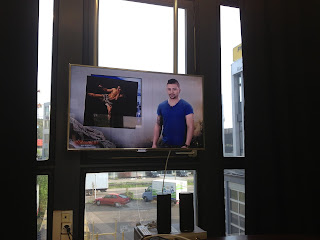


FCPX in brodcast. Notice the mpsy plug in ;)


FCPX in action with GoPro Hero3 footage


Monday, April 15, 2013

Cutting with FCPX for broadcast, week 1

Good evening everyone,

You've guessed correctly...So little time and sooo much to say about FCPX in a broadcast environment. Indeed, as a proof, I am writing this post as I am editing using FCPX.

FCPX interface


The last 10 days have been very busy. Aside of adapting to an ever evolving FCPX workflow I also deployed a SAN (Storage Area Network) using sanMP (multi platform management software by Studio Network Solutions). 

Before anything, you should know that neither Event Manager by Intelligence Assitance nor Xfile Pro by Spherico.de will work on SAN volumes. (Thank you to http://monteurtv.wordpress.com for the referral). 

So why am I working with a SAN? Simply because it allows me to share volumes with my team. Therefore when you go this route, when a version of an episode is done, a producer could open it on his workstation and create his text for any voice over needs while a post production assistant could export it for feedback to the the network. To make a long story short, a SAN usually multiplies your post production force by 4 to 5. Not bad at all. For inquiries about SAN products contact the folks at Studio Network Solutions and mention my name (I've been reselling their products for almost 5 years now).


So let's talk about the workflow and the huge amount of media I have to log, de-rush as well as edit with two co-workers. Before the SAN was up and running we made 3 copies of our HDD containing all our footage because we had to find a way to share our projects and keyword collections. However the workflow explained below should only be applied for those who do not work with a SAN.

Therefore, as we did work with a SAN on Episode 01, I had one assistant editor adding keywords to all the media located on a clone of the HDD I am using fro editing. We've preselected keywords together with the copyrighter/producer during the production so that:
a) we don't end up with a few hundred keyword collections
b) we have a clear target of what we need.

We've been utilizing the following keywords and it's been quite successful so far:
EP1, EP2, EP3 (...) EP9, Q (for quote or sound bite), Characters Names (such as John, Bobby and so on), Day, Night, Adventure, Challenge.

Once the key words are applied to FCPX events located on the HDD utilized by the assistant editor

FCPX keyword collections
Such as those...

You have to find a way to retrieve those keyword and bring them into your events located on your HDD.

In order to retrieve those keywords and somehow "transfer" them to another HDD containing the same events with the same media the only solution we came up with is to select the events one by one, copy them to another volume, then merge them as one event entitled "Episode 01" and voilĂ .  Unless someone can come up with a better solution, please let me know.


Finally, in order to avoid long period of time while copying your events, I'd suggest that your transcode all your medias to Proxy (ctrl + click your event). You'll be amazed how fast FCPX will process your media. I had mp4 clips shot with contour cameras (up 1 hour long) that I tried to transcode using compressor and after a few hours I gave up because compressor would just hang. I then gave it a try within FCPX with the ctrl+click shortcut

ctrl+click an event in order to access the transcoding FCPX window

And it took FCPX about 15 minutes to transcode it. I then selected all my events and transcoded all the Episode 1 media. It took 4 hours for FCPX to transcode everything in Proxy. The configuration I am currently using this one (for the week-end only because I worked from home last night in order to advance)

My iMac FCPX workstation configuration


Anyhow, this week we'll be using the SAN (3 year old Promise Vtrack) ran by a 3 year old Xserve who's in desperate need of more RAM which will be added this week.


At last, I am still and constantly being attacked by other editors who still think FCP7 is the way to go. I have to admit, as a  certified trainer for both FCP7 & X I wish FCPX would have a built in timecode window (not the generator timecode window trick), and I really really really wish FCPX could show the timecode overlay in the event viewer...


All right, so far EP01 is at 22 minutes and I need another 3 minutes in order to be done. My deadline is in 48 hours (excluding sound mixing, grading and effects). 


Before I go, the X2Pro plug in works perfectly for both LOGIC (yes logic) and ProTools, but that is another post.

Cheers,

Joachim Levy
Motion Picture Director & Editor
 Certified Trainer FCPX & 7


Sunday, April 7, 2013

Reality TV post-production with FCPX Day 3: ProTools & MXF export test

Hello All,

I know I was supposed to post 2 days ago, however running a reality television broadcast season on a new tool such as FCPX requires lots of resources as well as patience.

Post-Production status:
Episode one is already well under way. So far I am 4 minutes in. Not bad considering I've been cutting just for one day not to mention all the stress co-wokers magically lay on you when they all keep saying: FCPX won't work. Pffffff, it is so not true. FCPX works like a charm.

FCPX and Sound Design:

Thursday morning I was asked how I was going to provide an "omf" to the sound studio in order to have each episode properly mixed for broadcast. Above all, FCPX cannot and will not export omf files. Therefore I thought I had the two following options:

Option A)
Export a "Master File" for each episode:
Export Masterfile from FCPX share tab


with all of its audio tracks and that with one click by selecting "export roles as separate tracks" located in the "settings" tab
Export Roles as separate files (Setting Tab)
I thought: VoilĂ . Well I was wrong however still very enthused. The problem when you export your roles as separate tracks is that if you have many dialogues overlapping each other in your storyline/timeline (just like these in the image below)

Blue Audio Tracks labeled as Dialogues & overlapping


FCPX will export your dialogue Role as one track. Unless you relabel your dialogue roles such as Dialogue 1, Dialogue 2, Dialogue 3, it will work, however it will be time consuming knowing a 27min cut of a survival reality tv show has hundreds if not more than a thousand cuts. Therefore I turned to Option B.

Export using X2Pro ($150 in the app store). There are two versions, if you need to export wave reference files then get the X2Pro (not he X2Pro Le)


The process is pretty straight forward. X2Pro will create a file that ProTools will be able to open.


However....Make sure you go in X2Pro preferences and activate the 24bit audio option during export. And for some reasons, when I tried to export my 4 minute long Episode 1 cut in progress, X2Pro kept giving me an error, I therefore tweaked the export options and noticed that if I would turn of the 'Reference wave files in place" the export would work...

X2Pro export window

However, for some reasons X2Pro kept asking me permission to access my media. Fine with me as long as it can send my files to ProTools. The whole process: install, export, figuring out the export issue took me about 20 minutes. I then sent the files to a ProTools engineer who will get back to me on Monday morning. So far no complaints.
X2Pro Alert message

My next step was to find a way to export an MXF from FCPX in order to be able to deliver each episode on XDcam disks.

XDCam disk
I knew the solution lied within Hamburg Pro Media with their ImEx suite. So I contacted them and got the trial version: 

Just know that once Hamburg Pro Media provides you with their plug-in you'll have 7 days to export as many MXF as possible after that, you'll have to pay almost 800 for it.


Coming back to our MXF export, once you install the Imex Suite plug in for FCPX, if you want to generate an mxf you will have to do it through the compressor interface and chose the MXF export settings: however you'll most probably get this alert once you hit export. (I got it on 3 workstations)

 
Again, no need to swear out loud at either Apple, Sony or Hamburg Pro Media. This alert simply means that in the e-mail you received from Hamburg Pro Media (the one that contains the Imex Suite Installer .dmg file) you need to read it (the email) and you'll notice they provided you with a serial number that will activate the plug in.  Once you locate your serial, do the following:

Go to System Preferences, in the "other tab" (see image below) locate the MXF blue cube and click on it.


System Preferences Window

 Select the Software tab


MXF system preference window tab


Click on the "online tab" located on the bottom right
MXF system preferences software window
 And copy paste the serial number Hamburg Pro Media sent us by e-mail

MXF system preferences serial number window
Now you are able to export MXF files right out of FCPX. All right, that's it for today.


Monday I will talk about why I asked all the camera team to capture their footage using the FCPX import window. 

Coming up Wednesday: reconfiguration of the Xserve, Xraid and turn it into a SAN. So stay tuned and thank you for reading.


Joachim Levy
 Certified Trainer FCPX & FCP7
SAN integrator
Motion Picture Editor & Director


Wednesday, April 3, 2013

Reality TV post-production with FCPX DAY 01: reconfiguring the edit bay

So today was the first post-production day on "Das Experiment" produced by John Allen AG. The show will premiere May 7th on SRF.

This morning when I walked in, the edit bay I was given in order to edit the next season of Homerun newly entitled "Das Experiment", was a MacPro 4.1 2.26 Nehalem with a Deck Link Studio 2 card by Black Magic and that hooked up to a TV logic 19' broadcast monitor. This MacPro contains 4 internal HDD: 1 for the OS (Snow Leopard) and 3 for scratch. Right away I formatted the 3 scratch disks as follow:
1 as OS with Mountain Lion
1 as Scratch 1
1 as Scratch 2
I intentionally left the old Macintosh HD as is as there might be some producers wanting to edit using good old FCP7.

After installing Mountain Lion,  I downloaded and installed FCPX (pronounced ten and not x) from the app store. I also installed EventManagerX by Intelligent Assitance knowing I already have about 50 events that were created by the camera teams on a daily basis (we'll get to this later). Event Manager allows you to hide unwanted event in FCPX, it uncloggs your event browser, and for $4.99, it's quite a fantastic tool.

Next step, I launched FCPX knowing I still had to install a few plug-ins as well as drivers such as: Black Magic & Red Giant Magic Bullet Looks II.

As FCPX could not see the Deck Link Studio Card in my preferences (⌘,)

FCP X 10.0.8 Playback Preferences


I figured I had to install the driver from Black Magic, which is this guy:

Black Magic Desktop Video Driver


However, if you want to download it from the Black Magic Design Support page, you will need to provide your Deck Link Serial Number which is actually located on the Deck Link Studio card itself.  First turn off your MacPro, unplug it, open it, take the card out and RIGHT DOWN its serial number. (don't ask me why you have to write it down).


After the driver is installed, restart your machine, go to system preference and set up your Black Magic preferences. Make sure you match Black Magic output settings to your footage, if not FCPX wont output anything but a black screen.

Once this is done, launch FCPX, go to your preferences (⌘,) and under the playback tab A/V outupt drop down menu select your Black Magic card. Playback a clip from any of your event and FCPX should display your footage on your broadcast monitor. If your monitor remains black, which will probably be the case for most of us, do not swear out loud at either Apple of Black Magic. Instead go to the window menu and enable A/V output just like this:

FCPX 10.0.8 interface
Audio-wise, I do it all with the Black Magic Deck link card as well.


After a few hours (download and install Mountain Lion, FCPX, EventMangerX, Magic Bullet Looks II) I was finally able to start editing without a single crash.

Now, as all the media are on a FW800 drive (and backed up 3 times), my next step is to transform the existing Xraid

  
X raid by Apple Inc


In a rock solid SAN solutions by using sanMP and Xtarget by Studio Network Solutions.

SAN (Storage Area Network) volumes by Studio Network Solutions

Why? Because it will allow me to share my projects and events in real time with speeds of up to 108MB/s per workstation and that with 3 other team members:
1 producer, 1 writer/producer, 1 assistant editor.

In the next post (tomorrow) I will demonstrate why I have been asking all camera operators to off load their footage using FCPX and why I learned one of the P.A.'s (production assistant) how to create and assign keywords to the clips while on the set.

At last, the footage was shot using the following cameras:
GoPro x3, Contour Design x3, XDcam x3 and Sony NX x3. Each episode features a multicam as well as 3 different XDcam camera teams.


Joachim Levy
 Certifed Trainer FCP7 &FCPX
Editor, Workflow Expert & SAN integrator


Sunday, March 24, 2013

Using FCPX for broadcast reality tv

As am overseeing post and editing a broadcast reality show during the upcoming months using FCPX, I was kindly asked to write this adventure on a blog. So buckle up because FCP7 is going bye bye.

Saturday, September 15, 2012

Adding a SAN to a 6 year old Quantel Pablo

That is no easy task when considering that a Quantel Pablo is an 8U machine (excl: storage)

Color Grading company Kontrast Media (www.kontrastmedia.com) asked us to improve their current workflow based on external devices (mainly FireWire 8).

Their office consists of:
- iMac with FCP 7
- MacPro OS Snow Leopard with Maya (latest version) and AE CS5.
- Quantel Pablo running on Windows 7.

When we first walked in the Quantel was pretty much on its own with no managed shared connectivity to the other workstation mentioned above.
Of course like lots of offices, all machines were all connected to a switch that would allow any user connect to any machine. Which slows down any post production workflow.

Our first step was then to add a volume sharing software on all workstations in order to manage and control all privileges. We installed sanMP v.4 by Studio Network Solutions which is a triple cross platform SAN sharing software.

Then we brought in two MacPros equipped with single port Fibre channel cards that run on SSD OS drives for faster boot up and file exchange bandwidth.

We then installed a 12 TB SAN with 4 Fibre Channel direct connect ports that allowed us to directly connect the new MacPros and the Quantel Pablo.

Finally, we connected the iMac and the remaining MacPro over iSCSI directly to the SAN.

Right away the disk performance reached up to 350MB/s for both the Quantel and the MacPros, allowing for two simultaneous real time 2k playback.

After a very successful install, we were asked if R3D files could be read on our SAN. R3D files require a Red Rocket card for any real time playback, therefore we suggested the colorist to transcode their R3D files to DPX till they can get a brand new Red Rocket Card.

www.cinedit.com
SAN integration and workflow consulting
+41 44 500 95 01


Saturday, September 8, 2012

CINEDIT Pictures blog is back

We know it's been a very long time, however we will now post about post production workflow on a daily basis.

Next topic: Quantel Pablo and Studio Network Solutions with Q Logic Fibre Channel Connectivity.

Article coming on Monday. Stay tuned

www.cinedit.com
Post Production Consulting & Workflow

Monday, November 29, 2010

Arri Alexa and Timecode issues

Arri Alexa Camera
During Cinedit Pictures last demo featuring a full Ari Alexa post-production workflow at Freestudios we noticed that there was a timecode issue when conforming for colorgrading.


After transferring ProRes4:4:4:4 from the camera to a 32 TB EVO San, we decided to directly edit some ProRes4:4:4:4 content in Final Cut Pro. After performing a few cuts we exported and xml that would be open in MIST by Marquise Technologies. After conforming the footage in Mist we noticed that the Timecode was off and that not by a few frames.

Right away we decided to contact Marquise Technologies' Head Engineer who advised us to use the recorded time code and not the source time code. And voila. After that simple tweak our workflow was just flawless.

Best,


CINEDIT Pictures Post Production Team
+41 44 500 95 01


Friday, November 12, 2010

What is an A.I.C. Director of Photography?

Through our facebook fan page we recently announced the only Alexa Digital Cinema workshop that will take place in Zurich, Switzerland co-sponsored by Studio Network Solutions,  Cinegrell and Marquise Technologies
We are very happy and proud to have Director of Photography Paolo Ferrari A.I.C.  deliver the "hands on camera" part of that workshop. First things first. What is an A.I.C. member? And what does that mean?

After presenting my first feature film "Life Remote Control" at the world acclaimed "Cannes Film Festival" in 2006 I was lucky enough to have Academy Award winner and producer John Daly notice my work. 

Right away he took me under his wing and decided to show me how Hollywood works. He also explained me his rise when he received many Academy Awards with films he produced such as  The Terminator, Platoon and The Last Emperor. He also described his fall (when you make no movies for a while).


When he produced The Last Emperor in 1987 for director Bernardo Bertolucci, he hired the best director of photography: Vittorio Storaro A.I.C. The last three letters Vittorio are probably the only part of his name that matters to producers. Indeed, A.I.C. stands for Associazione Italiana Autori della Fotografia Cinematografica. This association englobes the best cinematographers in the world that can achieve any look a director would like to have on any given film. And usually, to get in such a family, one is invited to apply or to join. However, rules can be broken.

About a year ago upon my return from Los Angeles to Europe, I was seeking a local director of photography with whom I could start to work with. Luckily, as I always had contacts with Vittorio (through John Daly) I kindly asked him if he could recommend a D.P. (Director of Photography).
Right away he told me I should get a hold of his long time assistant and A.I.C. member Paolo Ferrari A.I.C.  who has completed many features shot on 35mm and who also currently teaches cinematography at Rome's FIlm School in Italy. 

If you would like to personally meet Paolo Ferrari A.I.C. he can train you in Zurich on January 20th 2011 during our Alexa Digital Cinema Workshop.

For more information about our Alexa Digital CInema Workshop, log on to www.cinedit.com or contact us:

e-mail:
training@cinedit.com

phone:
+41 44 500 9 501


Tuesday, November 9, 2010

Chroma Key shoot utilizing the Alexa Digital Cinema camera

The Alexa Digital Cinema Camera has been used for almost a trimester now and when it comes to chromakey shoots 
green screen shoot aka chromakey
users tend to give up on the Alexa 4:4:4:4 recording capabilities by utilizing a red camera instead. 
RED camera

The argument I keep hearing is the ProRes 4:4:4:4 does not handle compositing (chromakey) as good as Red raw files.
Knowing that Apple ProRes 4:4:4:4 (called 4 by 4) was created and designed especially for that purpose, that is compositing since its last 4 in the 4:4:4:4 codec represents the alpha channel, I am  very skeptical and would like to be very careful about the answer I would give since the response many directors of photography will give you is: "The Red can record in 4K so why downgrading to HD 4:4:4:4 with the Alexa"

As a response, I invite you to come a see it for yourself at our January 20th Workshop entitled: "The Alexa workshop" where we will do what was just mentioned above.

Space is limited to two groups of 4. so make sure you book your seat soon.

Till then,

;)


+41 44 500 9 501

The CINEDIT Pictures team

Monday, November 8, 2010

The EVO performances

Cinedit Pictures recently got the last EVO's performance spec sheet from the Studio Network Solutions lab in St. Louis.
As you can see, an 8TB base unit can easily achieve one stream of 2K images in realtime which is usually the required workflow when doing post with RED 2K images when they are being color graded. (Marquise Technologies source).

With the same system at our Zurich offices last week, we were able to perform 15 streams (1 stream = 27Mb/s)  of Apple ProRes (HQ) in realtime, which represents 405 Mb/s and that over iSCSI ethernet within the Final Cut Pro Suite.

Shall you need to know more about Studio Network Solutions products, our Final Cut Pro Classes or post-production workflow, visit us on www.cinedit.com

The CINEDIT Pictures post team

+41 44 500 9 501
Zurich, Switzerland


Thursday, November 4, 2010

Alexa Camera by Arri

Here it is: The Alexa Digital Cinema Motion Picture Camera. 
Finally, we can say: "Finally". The Alexa is not your regular digital cinema camera. It definitely puts the bar way above the red. A few rental houses in Zurich carry it, including www.cinegrell.ch
That camera has a frame rate from 0.75 fps to 60 fps and a resolution of 2880x1620 which is well above our standard HD resolution of 1920x1080. 

It can record using Apple ProRes 422 (HQ) as well as the Apple ProRes 4444 and that on SxS cards. Or if you would like to go straight to HD SDI by using the ARRIRAW or1080PsF 4:4:4 rgB/ YcBCr HD video. What does that mean?

With this "bijou" you can definitely spend time color grading in post-production without pulling you hair off your skull. Try to achieve the same look with the  5D = No way Jose.

We had a few inquiries about offering an Alexa workshop. It will be done towards the end of 2010. So stay tuned for more.


FILM - POST PRODUCTION - TRAINING

+41 44 500 9 501

Zurich, Switzerland